
Summary:
In this example, we will show you how to enable Paribus 365™ by adding an Action on duplicate result records of the same entity type.
Related Product(s):
This article relates to the following products:
- Paribus 365™
- Microsoft Dynamics 365 CRM
Adding a Custom Action to enable Merge from result grid item
Task:
We are going to add a new Action onto a standard search rule, such as “Account (edit mode)”, which will allow us to enable the ability to Merge any identified duplicated records with it’s primary counterpart.
Prerequisites:
- A Dynamics 365 CRM environment with an installation of Paribus 365™. If you don’t have Paribus 365™ Search and Detect yet, please request a free trial here.
- A basic understanding of Dynamics 365 CRM web resource customization
- Appropriate Dynamics security role privileges to access Customizations
- The latest Paribus 365 Solution Manager client application
Steps:
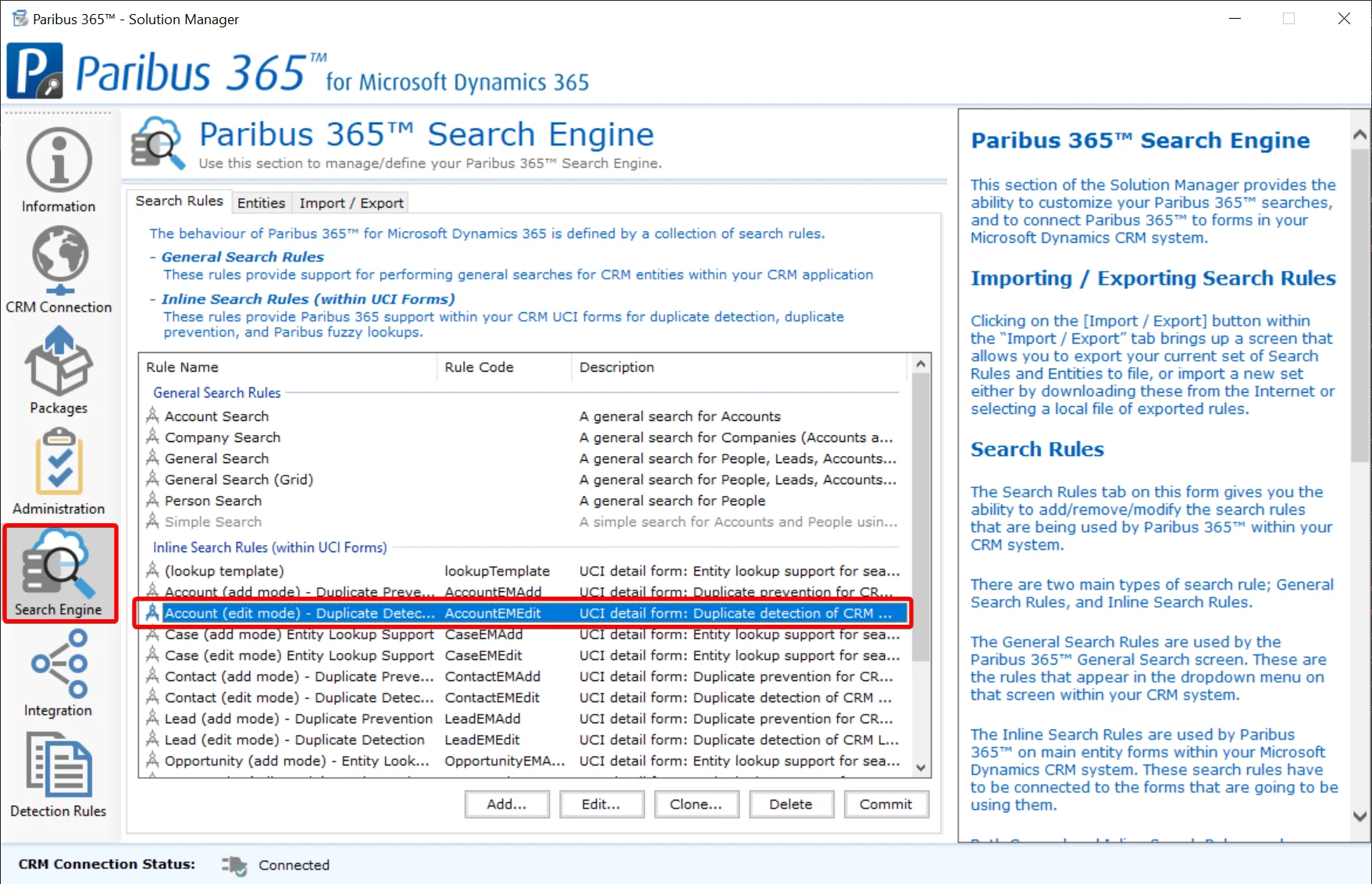
- Sign in to the Paribus 365™ Solution Manager and locate the “Account (edit mode)” search rule (shown) in the CRM Online Search Rules. Double-click this (or click on the Edit button) to open this Rule for editing.
- Click Paribus 365™ Search Operators tab and double-click on Duplicate Detection for Accounts
- Click Paribus 365™ /CRM Entities tab and double-click on CRM Account
- With the Paribus 365™ Result Actions tab selected click on the Add… button
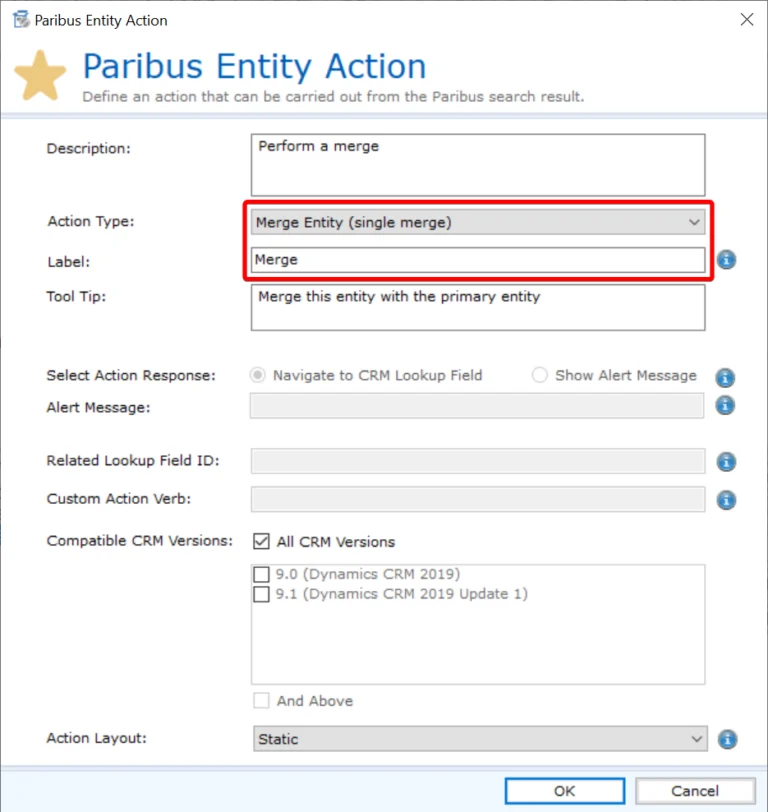
- Configure a Merge (Single) Entity Action as shown below.
- Click to OK each popup screen (x4 of them) until you get back to the main Search Engine rules list.
- Now repeat Steps 1 to 6 for the “Contact (edit mode)” and
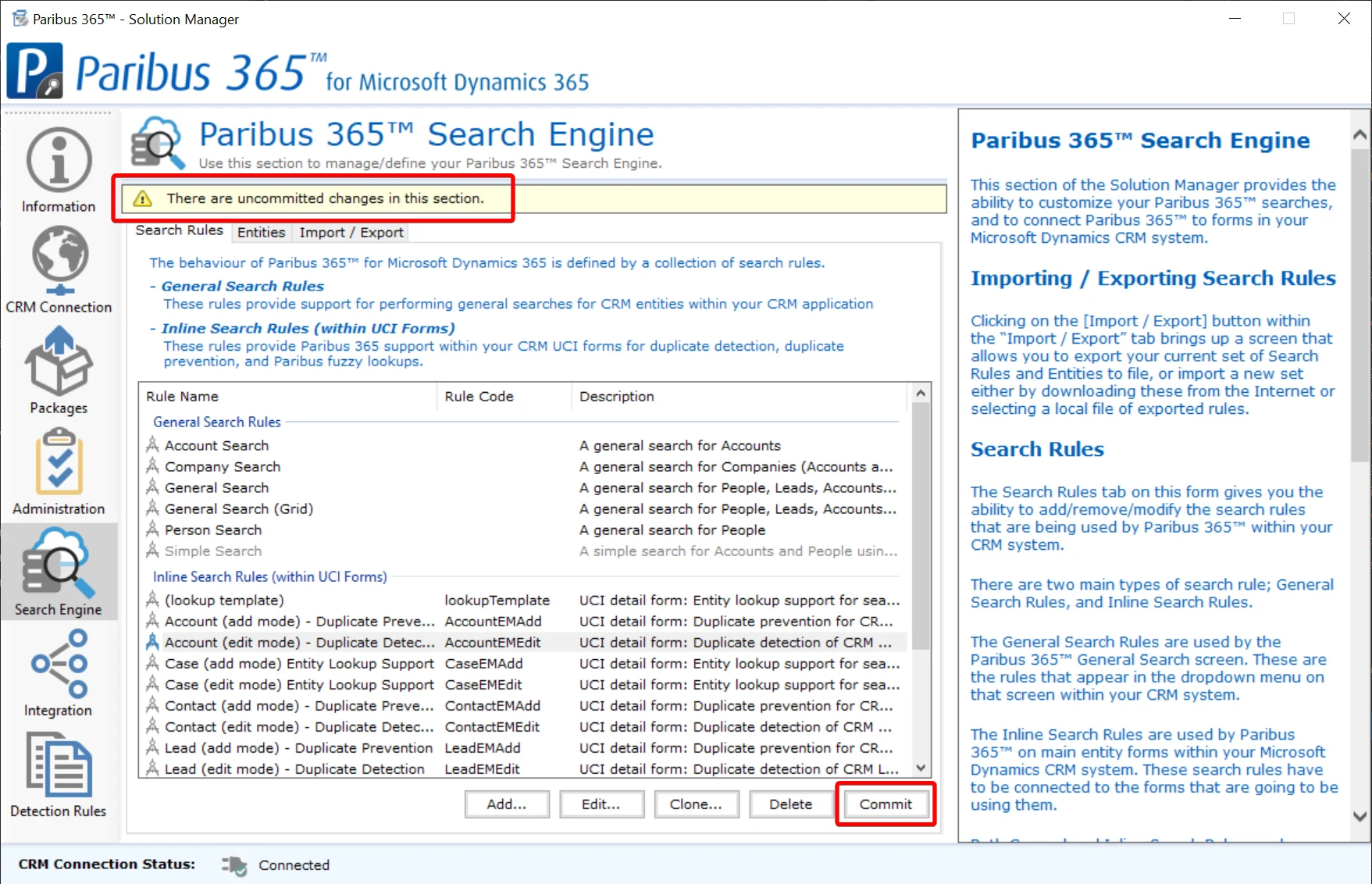
“Lead (edit mode)” search rules, to add Merge action buttons for duplicates found within Contacts and Lead entities respectively. - Finally, once you’ve finished adding Merge actions to the entity edit screens, remember to click Commit to publish the changes (as shown below).
Confirmation
To confirm the Merge functionality has now been successfully applied…
- Navigate to a record in Dynamics where Paribus 365™ has identified possible duplicate records and click Manage Duplicates.
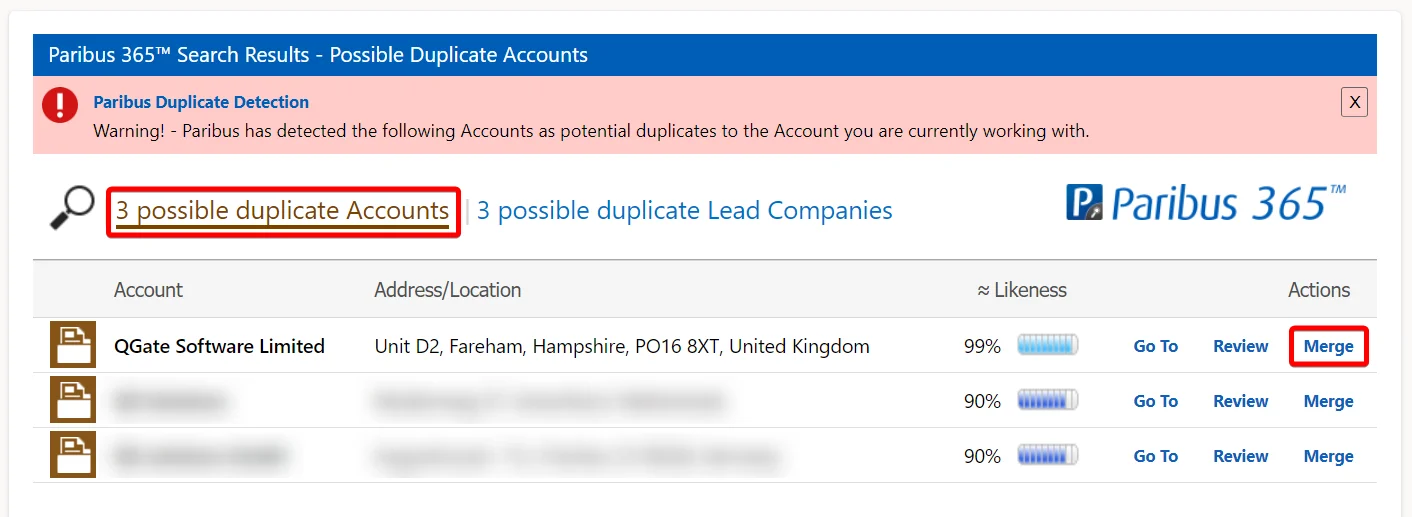
- After clicking the Search button, you should see an update on the counts of “possible duplicate Account/Contact/Lead” records.
Click on one of them to display a list of potential duplicates (as shown below). - You should now see a new Merge action button, giving you the ability to merge each potential duplicate record into the primary record that you first visited
(or you can also change the merge direction, if necessary)
Congratulations, you have just enabled Merge functionality within Paribus 365™.
Resources
More from QWARE

Adding Account Lookup Functionality to Forms in Microsoft Dynamics 365 CRM
This article outlines the steps required to add Paribus 365™ Lookup functionality to a form, allowing an Account lookup to be automatically populated from the parent Account of a selected Contact.

Paribus Cloud / Paribus 365™ – Active Directory Authentication
This article provides an overview of the steps required to enable access between the Paribus 365™ Cloud Service and a customer’s Dynamics 365 CRM instance, including the key Microsoft ID configuration required to establish the connection securely.
Paribus Cloud / Paribus 365™ – Active Directory Authentication
This article provides an overview of the steps required to enable access between the Paribus 365™ Cloud Service and a customer’s Dynamics 365 CRM instance, including the key Microsoft ID configuration required to establish the connection securely.
Adding Account Lookup Functionality to Forms in Microsoft Dynamics 365 CRM
This article outlines the steps required to add Paribus 365™ Lookup functionality to a form, allowing an Account lookup to be automatically populated from the parent Account of a selected Contact.